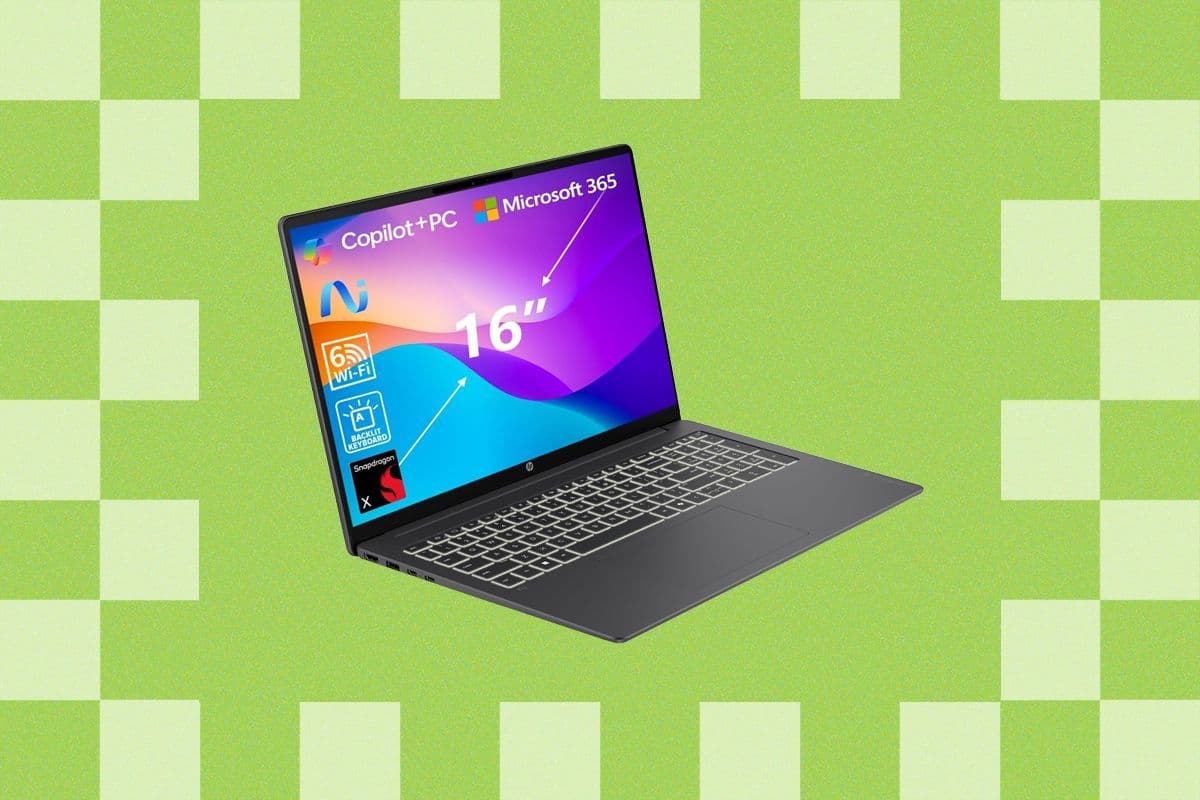
HP Omnibook 3 Review: The Best Budget Laptop Under $600?
HP's Omnibook 3 challenges Apple's MacBook Neo at just $599. Is it worth the trade-offs? Here's everything you need to know.

HP Omnibook 3 Review: Redefining What a Budget Laptop Can Be
At a price point of $599, HP is making a bold statement with its Omnibook 3 — a direct challenge to Apple's well-regarded MacBook Neo. While it comes with a few compromises, this machine delivers surprisingly strong performance and value for budget-conscious buyers who refuse to sacrifice too much.
Quick Verdict
Pros:
- Outstanding battery life
- Solid everyday performance
- Double the RAM and storage compared to the MacBook Neo
- Vibrant OLED display option
- Exceptional value for the price
Cons:
- Plastic, thicker-than-average chassis
- Touchpad feels budget-grade
- Speakers are underwhelming in both quality and volume
Design and Build Quality
The HP Omnibook 3 doesn't try to win any beauty contests. Its plastic body keeps things understated and functional, and while it lacks the premium feel of an all-aluminum rival, it doesn't feel flimsy either. The structure holds up reasonably well for a device in this price range.
That said, the thickness is hard to ignore. Measuring 0.7 inches deep, the Omnibook 3 feels noticeably chunkier than many competing laptops. For users coming from slimmer machines, the difference is immediately apparent. Another minor frustration: the lid doesn't magnetically seal shut. When held upside down, it partially swings open — a small but irritating design oversight that wasn't an issue on the Omnibook 5 tested previously.
On a more positive note, that extra thickness does contribute to a sense of structural rigidity that's somewhat impressive for a plastic laptop. It doesn't flex excessively, which is a relief.
Keyboard and Touchpad Experience
HP claims the touchpad on this year's Omnibook 3 has been improved over its predecessor. Having tested the Omnibook 5 rather than the 2025 iteration of this model, the touchpad experience feels largely similar — functional, but clearly one of the cheaper-feeling components on the device. It gets the job done without being obnoxiously clicky, which is at least appreciated.
The keyboard, however, is a genuine highlight. Key presses feel precise and satisfying, with a tactile click that makes extended typing sessions comfortable. A built-in number pad sits on the right side, which pushes the touchpad off-center from the palm rest — a common trade-off with this layout. While centering the touchpad might seem like an easy fix, attempts by other manufacturers, such as the Acer Swift 16 AI, have shown that the workaround often creates more problems than it solves.
Performance: Powered by Qualcomm Snapdragon X
The heart of the Omnibook 3 is the Qualcomm Snapdragon X processor, and it's what separates this laptop from the sea of forgettable budget Windows machines. This chip brings a level of performance efficiency that was previously difficult to find at this price point.
The Snapdragon X has been available since early 2025, and it remains one of the most compelling chips for affordable laptops. It handles everyday tasks smoothly without the sluggishness or battery drain that typically plagues budget Windows devices. During a light video-looping battery test, the Omnibook 3 came close to hitting a full 24 hours of runtime — an impressive achievement for any laptop, let alone one under $600. Heavier workloads will naturally reduce that figure, but battery endurance remains a standout strength.
In raw benchmarks, the Snapdragon X does fall short of the MacBook Neo in certain areas, particularly single-core CPU performance and graphics output. Gaming is also not this laptop's forte, largely due to the architectural limitations of ARM-based processors. However, where the Omnibook 3 genuinely pulls ahead is in multitasking capability. With 16 GB of RAM — twice what the MacBook Neo ships with — the Omnibook 3 handles heavy browser sessions, multiple open applications, and background tasks with far greater ease. Users are much less likely to hit a performance ceiling here compared to Apple's memory-constrained entry-level model.
Display: OLED Brilliance With a Brightness Caveat
The 16-inch display on the Omnibook 3 offers rich, vivid visuals thanks to its OLED panel. Colors are accurate and vibrant, contrast is excellent, and the glossy finish adds to the visual depth. On a screen this size, the 1920 x 1200 resolution does begin to show its limits up close, though this is less of an issue on the 14-inch variant.
One notable limitation is brightness. In testing, the OLED panel peaked at around 290 nits — noticeably dimmer than the MacBook Neo, which nearly doubles that figure at maximum brightness. Users in bright environments may find this frustrating. It's also worth noting that the OLED configuration is exclusive to HP's own website, while Amazon, Walmart, and Best Buy stock the more affordable IPS version.
How Does It Compare to the MacBook Neo?
The choice between the HP Omnibook 3 and Apple's MacBook Neo comes down to priorities. If premium build materials, a slimmer profile, and a brighter display are non-negotiable, the MacBook Neo is the stronger aesthetic choice. But for users who prioritize real-world performance, multitasking headroom, and battery longevity at a lower price, the Omnibook 3 makes a compelling case.
At $599, the Omnibook 3 doesn't just compete — it often outperforms its Apple rival in the areas that matter most for daily productivity.
One Important Consideration: The Omnibook 5
Before making a final decision, savvy shoppers should keep the HP Omnibook 5 on their radar. The Omnibook 5 is superior in nearly every respect — it's significantly thinner, features the more powerful Snapdragon X Plus chip, and includes a larger touchpad. The catch is pricing volatility: the Omnibook 5 fluctuates wildly between $499 and $1,050 depending on the retailer and timing.
When the Omnibook 5 dips to competitive prices, it's the smarter buy without question. However, the Omnibook 3 appears to hold steadier at the $500–$600 range, making it the more reliable choice for budget shoppers who don't want to play the price-tracking game.
Final Verdict
The HP Omnibook 3 is one of the most well-rounded budget laptops available today. It's not perfect — the plastic build, mediocre touchpad, and dim display hold it back from greatness. But at $599, it delivers performance, battery life, and memory capacity that far exceed expectations for the price. For users who need a dependable daily driver without breaking the bank, the Omnibook 3 is a worthy investment.